






In previous issues of The Burn, our software development team has introduced new and improved tools to help organize your firestopping documents. Sometimes when people see the words “new” and “improved” they freak out. Nobody likes change. Change can be scary. But change can also make your life easier. Today we’ll be focusing on the process of submitting an inquiry to Engineering Services. No longer do you need to tear out the REA form from the back of the catalog or fill out a MS Word document and email it to techserv@stifirestop.com. All requests (general questions, engineering judgment requests and LEED inquiries) can be sent in through the website – www-news.stifirestop.com. If you’re not in front of a desktop or laptop, you can send in requests using the System Search & Submittal Builder Pro App. Let’s go through the process using the following steps:
1- First, on the homepage, click on “Resources
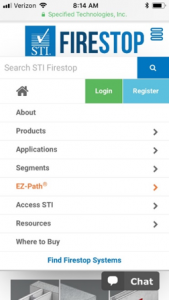
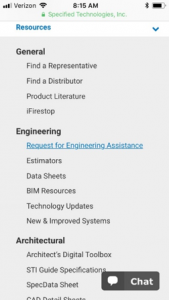
2- Under “Engineering”, click on “Request for Engineering Assistance”
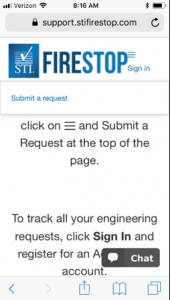
3- Next, click on “Submit a Request” at the top of the page
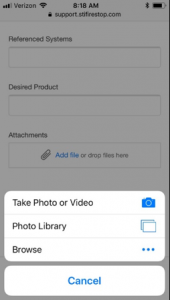
4- After selecting your issue, a request form will appear on the page. You can easily add photos or video to your request with your mobile phone or tablet
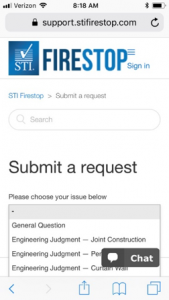
5- Once you’ve clicked on “Submit a Request”, a drop-down menu will appear on the page. Select your issue from the drop-down menu.
6- Once you have finished, click “Submit”
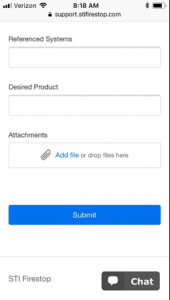
After you submit your request, you’ll receive an email with a ticket number. If you have an Access STI account, you can easily check the status or add additional information to your request. No more worries about what happens to your requests after you submit them!
If you have any questions about the process or need help filling out a request, please do not hesitate to contact STI Engineering Services for assistance via phone (1-800-992-1180 Ext. 2) or initiate an online chat through our website.
Date And Time
Event Location/Form
Event Address
Tags
Share With Friends